Business cards remain a useful tool for networking and promoting your brand. Because they are small and easy to carry, you can always have a few on hand to share your contact details. Most people choose the standard size since it looks professional and works well, but some businesses pick custom sizes to show off their unique style. Whether you are creating your first business card or updating an old one, knowing the standard sizes can help you make a good first impression.
What is the Standard Business Card Size?
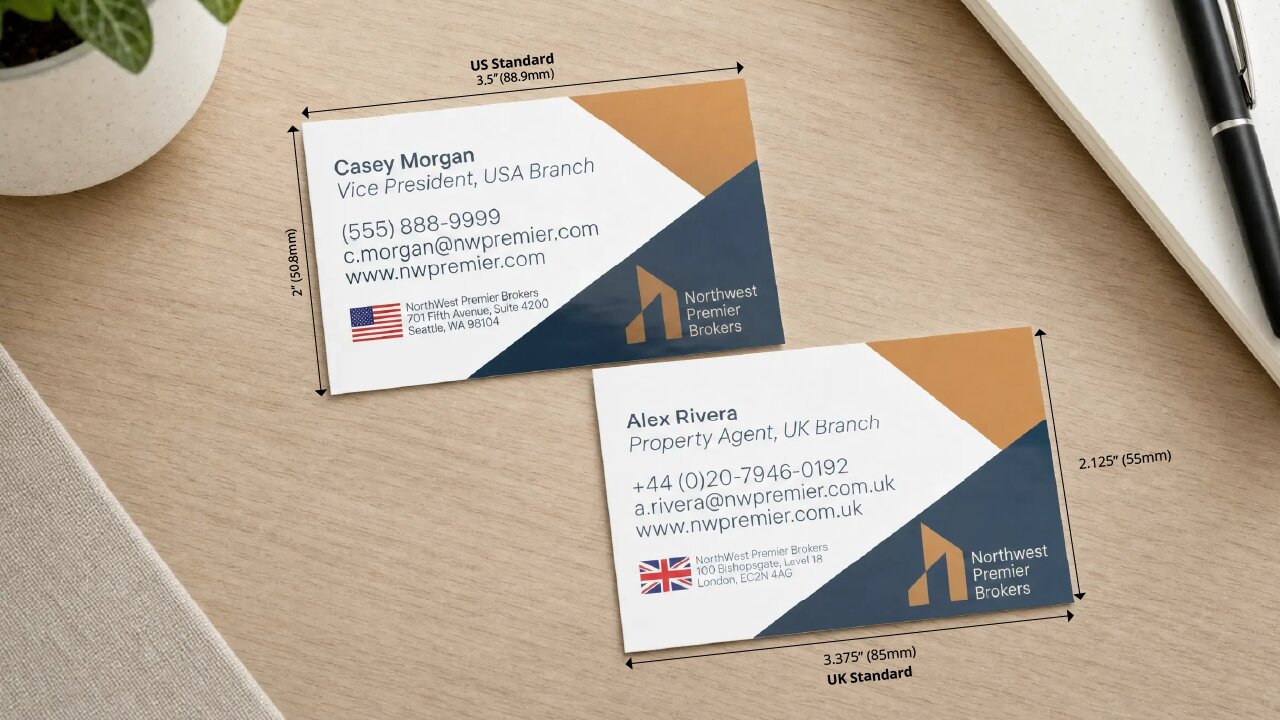
Size comparison between standard US and UK business cards
In the United States and Canada, business cards are usually 2” x 3.5” (51 mm by 89 mm). Most professionals pick this size because it is practical and easy to carry. They fit well in wallets, pockets, card holders, and desk organizers. The standard size also makes it easy to exchange cards at meetings and events. Most printers use this size as the default, speeding up the printing process for people who need them for their clients. There are also plenty of design templates and accessories for these dimensions, so businesses can create and reorder cards with ease.
In Europe, especially in the United Kingdom, the standard business card size is 2.125” x 3.375” (55 mm x 85 mm). This size is similar to European credit cards, so it fits easily into local wallets and card holders. It also matches regional printing standards that use the metric system and is the default for most UK-based printers.
Even though the size differences are small, both standards are well-established in their regions. Businesses that work with both American and European clients sometimes print both versions. This way, their business cards meet local expectations and help make a good first impression at networking events.
What are the Other Business Card Sizes?
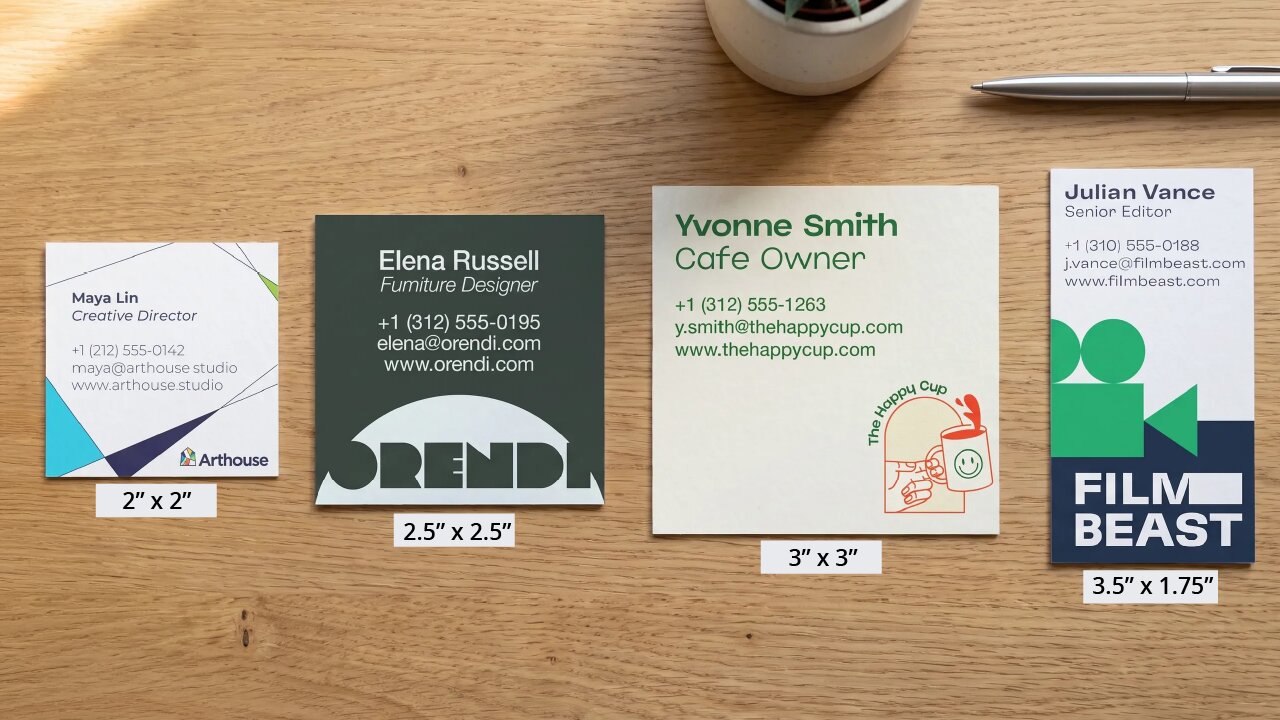
Comparison of different custom business card dimensions
Besides the two standard business card sizes, you can also try custom dimensions to make your cards stand out. Many artists and professionals use these popular sizes to create a unique business card that their prospects will remember.
| Size (inches) | Common name | Uses | Key features |
|---|---|---|---|
| 2.5″ x 2.5″ | Standard square | Creative professionals and marketing teams often use this business card size. | The distinctive square shape immediately attracts attention and creates powerful brand recognition. |
| 3″ x 3″ | Large square | It works well for artists, designers, photographers, and any business that relies on visuals. | The larger size gives you more room for creative designs that make the business card stand out more. |
| 2″ x 2″ | Mini square | This business card can be used as an alternative product tag, packaging insert, or small promotional card. | Its small size makes it easy to slip into wallets, pockets, or small packages. |
| 3.5″ x 1.75″ | Vertical slim | The unique size and orientation can be used for loyalty cards and minimalist business card designs. | The narrow profile creates a sleek, distinctive appearance, while still fitting most card holders. |
Some Business Card Design Recommendations Using Standard Sizes
Choosing the right business card size is the first step to a good design. Once you know your card’s dimensions, it’s easier to decide on spacing, image placement, and print settings. Whether you pick a standard or custom size, setting up your artwork properly helps your cards look professional and print the way you want.
1. Set Up Bleed, Trim, and Safe Zones
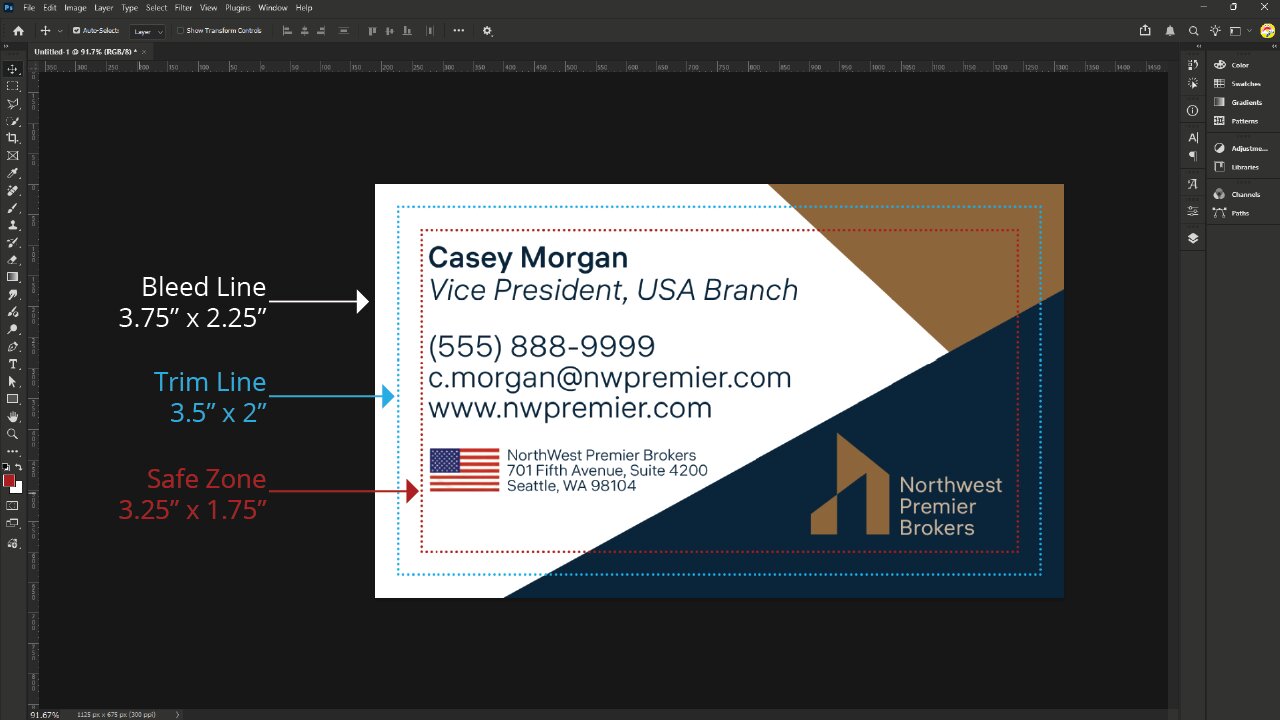
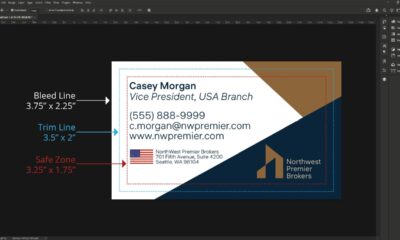
Business card design template showing bleed line, trim line, and safe zone guides
Once you’ve picked your card size, set up your document with the right bleed lines, trim lines, and safe zone placements. For a standard 2" x 3.5" card, make your design file 2.25" x 3.75" for bleed. This helps avoid white edges after the cards are trimmed.
2. Use High-Resolution Images
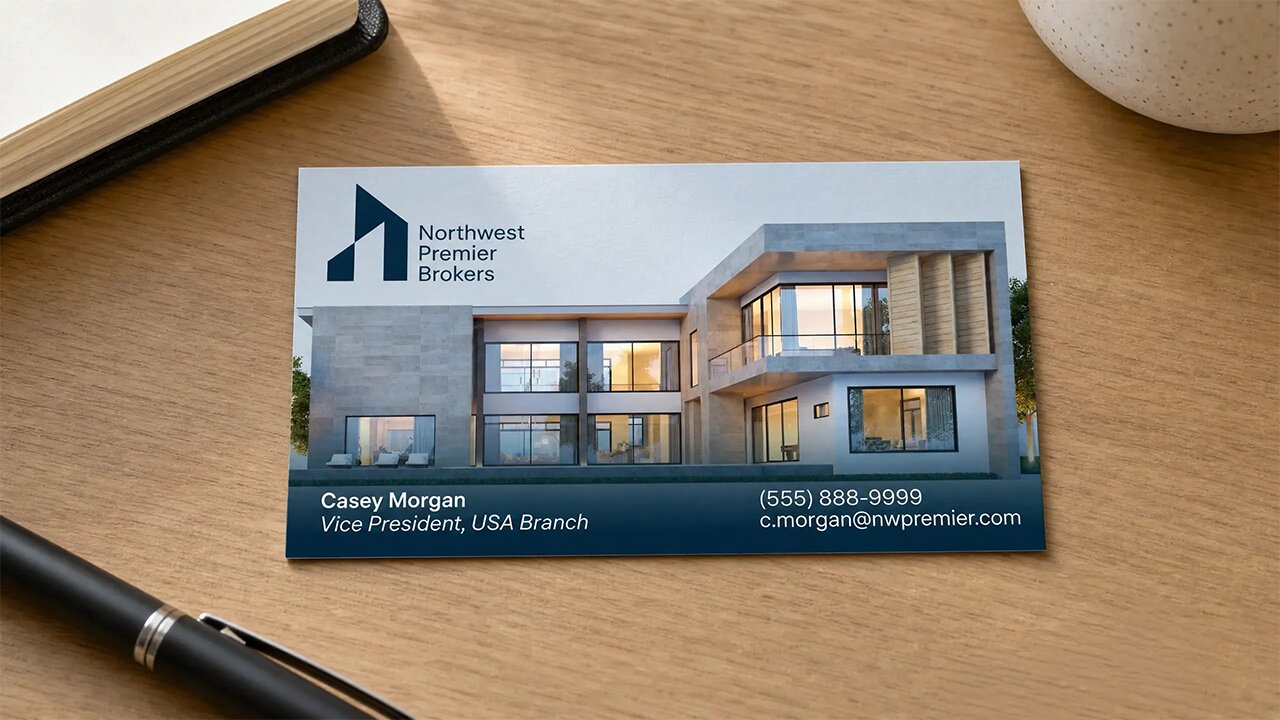
Modern real estate agent business card printed with an architectural photo
Pick high-resolution images that stay sharp at your chosen card size. After you set the final size, adjust photos, logos, and graphics so everything looks balanced and prints clearly. Ensure that the images fit with your business card without any blurriness or distortion.
3. Use the Correct Print Settings
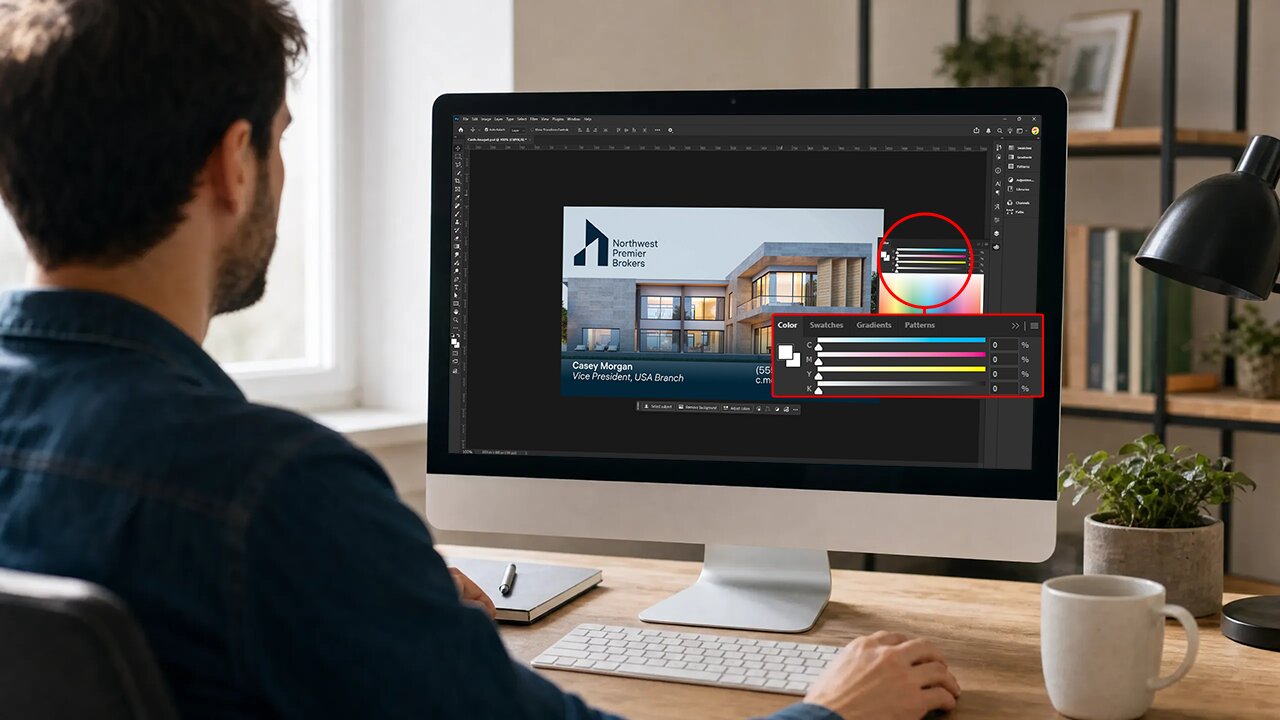
Designer setting CMYK color values for a business card layout
Set your artwork to CMYK and use the correct file specs for professional printing. Make sure your colors, layout, and branding match your card size to get accurate colors, clean trimming, and a polished look.
Ready Your Business Cards With Their Best Size
The size of your business card does more than affect its appearance. It also influences how people receive, keep, and remember your brand. Standard sizes are easy to use and show professionalism, making a strong first impression. Similarly, custom sizes can help you stand out while still supporting your brand and connections. The main thing is to balance creativity with practicality, so your card fits in wallets, is easy to share, and clearly shows your information. With UPrinting, you can create business cards that get noticed at every networking event, and we’ll bring your ideas to life.